
Discover two new platform upgrades that make studying smoother: a redesigned discussions editor with easy formatting and a faster search you can open with a single shortcut.
This week, we’re rolling out two quality-of-life platform upgrades: a redesigned discussions editor and a faster, smarter (and better looking) search. Whether you’re asking a question or hunting for an answer, both now take fewer steps!
A Discussions Editor That Works Like You Expect
On our platform, formatting your discussion post used to be a bit of a chore. If you wanted a bulleted list, bold text, or a block quote, you had to remember the right formatting syntax and trust the preview panel to catch your mistakes.
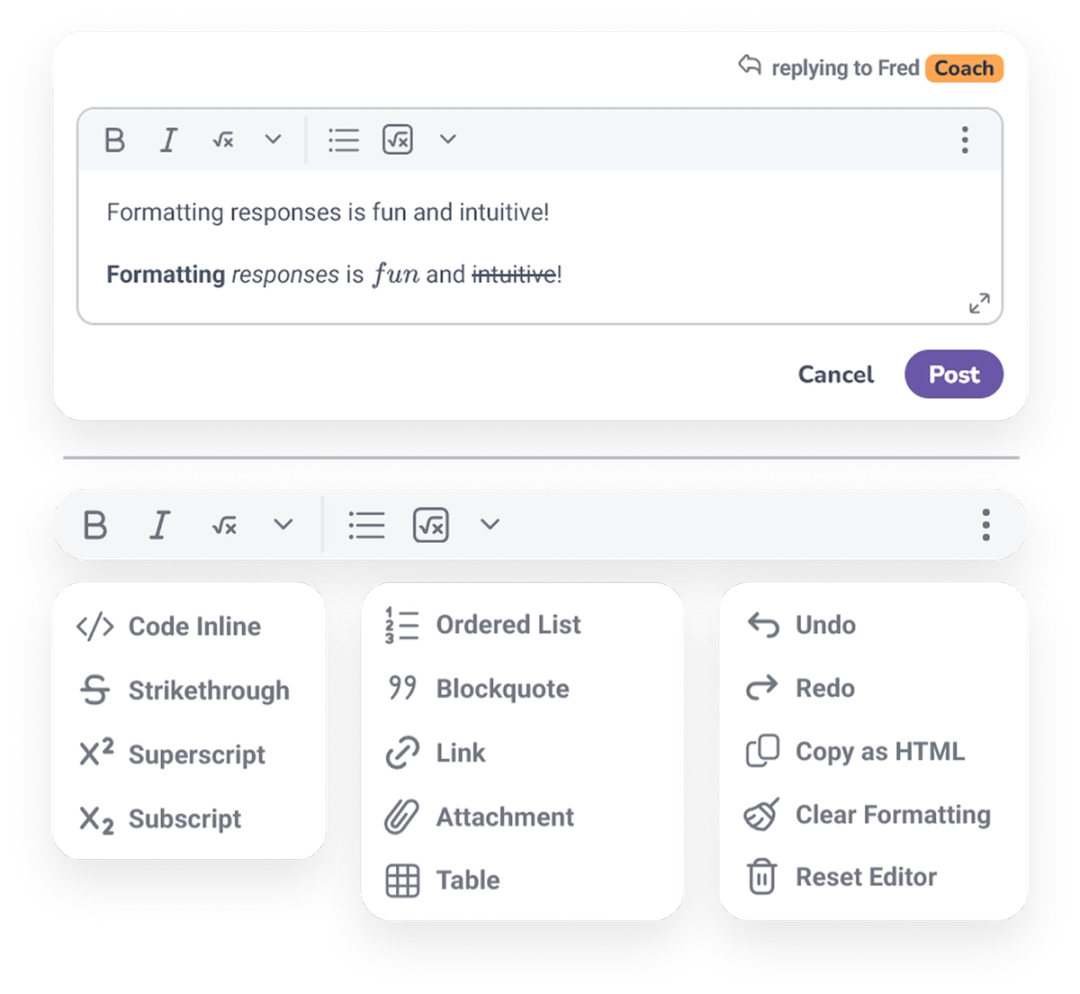
Not anymore! Our new discussions editor works like the text formatting tools you probably use every day. A clean toolbar puts everything you need within reach, with hotkeys for the formatting you reach for most. Here's what you can do, all in one clean space:
Format inline with bolding, italicizing, blockquotes, and lists, all without memorizing any special syntax.
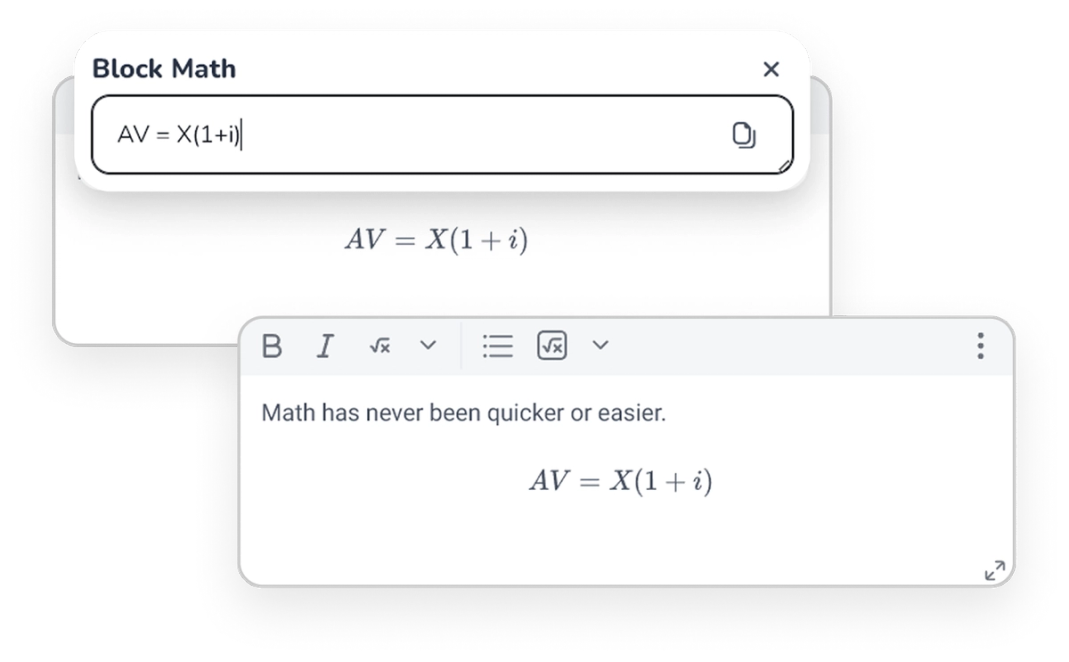
Write math with LaTeX by dropping in an expression and seeing a live preview, so your equations look right before you post.
Upload a photo of a problem you worked out on paper and give your coach the full picture. Images attach as linked text rather than crowding the body of your post, so discussions stay clean and easy to read.
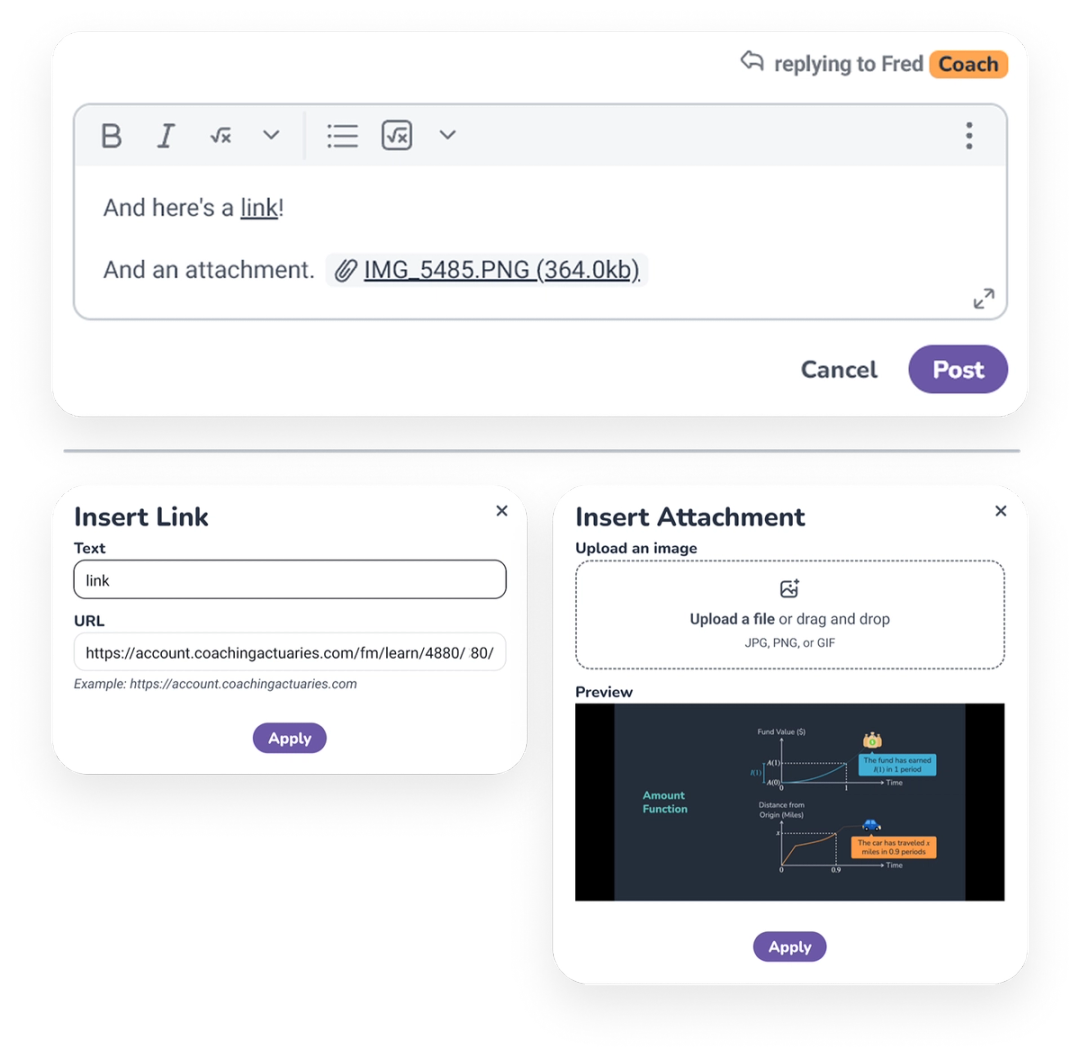
Add links to other pages that round out your question. Coaches can do the same to provide you with extra context.
Search That Helps You Find It Faster
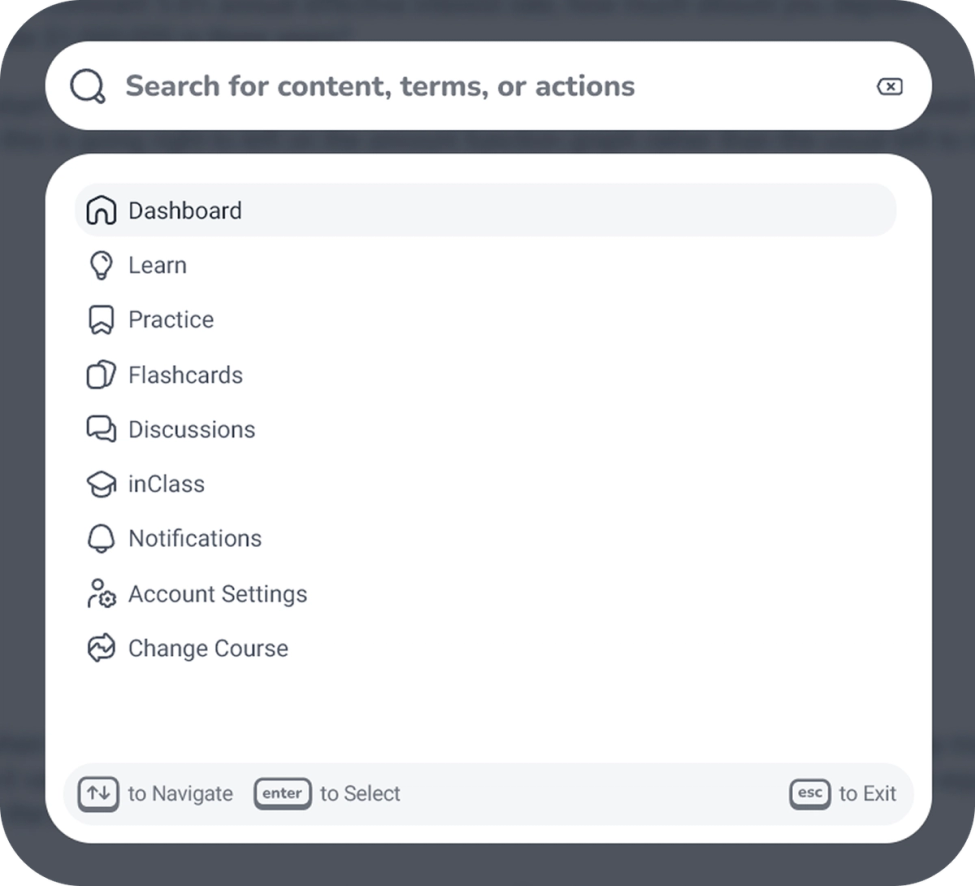
Search got an overhaul, too. Open it anytime with Control + K (Windows) or Command + K (Mac), then search for content, terms, or actions from one spot. The new search pulls a few things together in one place:
Quick links take you to the main pages of the site, from your Dashboard to Flashcards and Discussions. They're ready the moment you open the search. You can navigate to these pages from search or use the left-hand nav, whatever's faster.
Suggested terms point you toward the right concept, drawn from the called-out terms in your manuals. Start typing and we'll surface the top hits based on the words you enter. Looking for a concept? Start typing and see it.
Full text search scans your course manuals and shows how many matches turn up in each section. Results span the platform, each with the exact path so you know where you're headed. Terms are even highlighted in the manual when you get there.
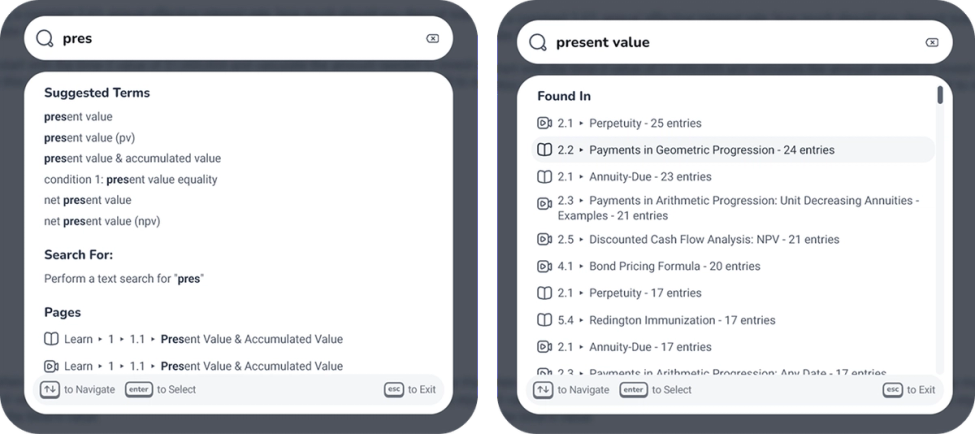
Keyboard navigation works, too! Use the arrow keys to move around, Enter to select, and Escape to exit. A guide at the bottom of the window keeps the shortcuts in view.
Small Upgrades, Smoother Studying
These quality-of-life improvements make it easier to find what you need and ask better questions. The result is that you can spend less time working with the platform, and more time letting the platform work with you.